

Download InfoCopias – Free, Secure, Automatic Backup Tool for Windows & Mac
InfoCopias is a powerful yet easy-to-use backup software designed to protect your important files with automated, reliable, and secure backup solutions. Developed by InfoNucia, this utility tool simplifies file management by enabling users to schedule automatic backups of critical folders without any technical hassle. Whether you're a student, professional, or home user, InfoCopias ensures your documents, photos, and projects are always safe from accidental deletion, hardware failure, or system crashes. With built-in compression, customizable schedules, and email backup delivery, InfoCopias stands out as a must-have tool for anyone serious about data protection.
Why InfoCopias is the Best Choice for Automatic File Backup
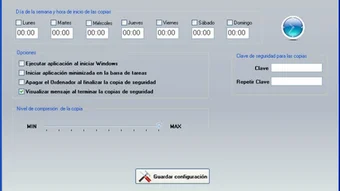
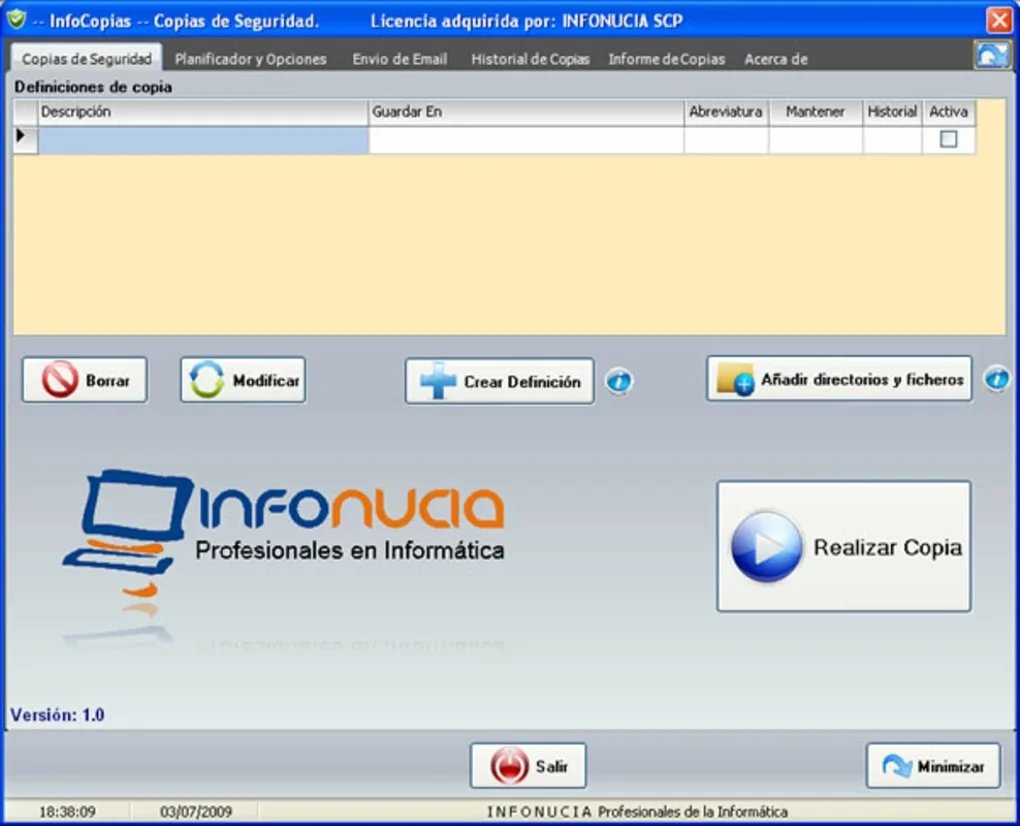
When it comes to safeguarding digital assets, having a reliable backup solution is no longer optional—it’s essential. InfoCopias rises above the competition by combining automation, security, and simplicity into a single, intuitive application. Unlike many backup tools that require advanced configuration, InfoCopias offers a clean, user-friendly interface that guides you through every step of setting up your backup strategy. The moment you launch the app, you’re prompted to select the folders you want to protect—be it your Documents, Desktop, or custom project directories. Once selected, you can define a backup schedule: daily, weekly, or at a custom time that fits your workflow.
One of the standout features is its intelligent update system. Instead of duplicating entire files every time, InfoCopias only backs up the changes, significantly reducing bandwidth and storage usage. This incremental backup method ensures that your backups remain fast and efficient, even with large data sets.
Additionally, the software automatically compresses backed-up data, helping you save valuable disk space. For users who need off-site storage, InfoCopias can send backup archives directly via email, providing an extra layer of security. This feature is especially useful for remote workers or those without access to cloud services.
Moreover, InfoCopias maintains a detailed log of all backup activities, allowing you to track what was backed up, when, and if any errors occurred. This transparency gives peace of mind and helps troubleshoot issues quickly. Whether you're backing up family photos or business-critical documents, InfoCopias ensures your data is protected with minimal effort. With regular updates from the developers, the software stays compatible with the latest Windows and Mac operating systems, ensuring long-term reliability.
Key Features and Benefits of InfoCopias Backup Software
- Automated Backup Scheduling – Set up recurring backups without manual intervention.
- Folder Selection & Customization – Choose specific folders to back up, including hidden or system folders.
- Incremental Backup Technology – Only copies changed files, saving time and storage space.
- Data Compression – Reduces backup size without compromising file integrity.
- Email Backup Delivery – Send backup archives directly to your email for off-site storage.
- Backup Log & History – Track all backup operations with detailed timestamps and status reports.
- Secure File Encryption (Optional) – Protect sensitive data with password-protected archives.
- Minimal System Impact – Runs efficiently in the background without slowing down your PC.
What truly sets InfoCopias apart is its balance between advanced functionality and ease of use. While it offers features typically found in enterprise-level backup tools, it remains accessible to non-technical users. For example, the ability to schedule backups during off-peak hours ensures that your system performance isn’t affected during work or study sessions. The software also supports both local and external storage devices, so you can back up to an external hard drive, USB stick, or network location.
Another valuable feature is the ability to exclude certain file types or large temporary files from the backup process. This prevents your backup from becoming bloated with unnecessary data. For users concerned about privacy, InfoCopias allows you to encrypt your backup archives with a password, ensuring that even if someone gains access to the backup file, they can’t view the contents without authorization.
With continuous updates and a responsive development team, InfoCopias remains compatible with the latest versions of Windows and Mac OS. The software is also lightweight, consuming minimal RAM and CPU resources, making it ideal for older or low-spec machines. Whether you're using Windows 10, Windows 11, or macOS Ventura, InfoCopias delivers consistent performance and reliability.
How to Install and Use InfoCopias on Windows and Mac
Downloading and installing InfoCopias is a straightforward process, whether you're using a Windows PC or a Mac. Begin by visiting the official InfoNucia website and navigating to the InfoCopias download page. The software is available as a free download, with no hidden fees or trial limitations. Once the installer file is downloaded, run it and follow the on-screen prompts to complete the installation.
After installation, launch the application. The first-time setup wizard will guide you through selecting the folders you want to back up. You can choose multiple directories at once, including the Desktop, Documents, Pictures, and custom folders. Next, define your backup schedule—daily, weekly, or at a specific time. For added flexibility, you can set the backup to run only when your computer is idle or during specific hours.
Once your settings are configured, you can choose the destination for your backups: a local folder, external drive, or network location. If you prefer off-site storage, enable the email backup feature and enter your email address. InfoCopias will compress the backup and send it as an attachment, making it easy to retrieve from any device.
For advanced users, the settings menu offers deeper customization options, such as setting retention policies (e.g., keep only the last 7 backups), enabling encryption, or excluding certain file types like .tmp or .log files. You can also view the backup log at any time to verify that your data is being backed up correctly.
After the initial setup, InfoCopias runs silently in the background, automatically executing your scheduled backups. You’ll receive notifications if a backup fails or if the software detects an issue, ensuring you’re always aware of your data’s status. With minimal maintenance required, InfoCopias is a hands-off solution that keeps your files safe without interrupting your daily workflow.
Compatibility and System Requirements
InfoCopias is designed to work seamlessly across multiple platforms, making it a versatile choice for users with diverse computing needs. The software is fully compatible with Windows 7, 8, 10, and 11, as well as macOS 10.14 (Mojave) and later versions, including Apple Silicon (M1/M2) Macs. This broad compatibility ensures that whether you're using a modern laptop or an older desktop, InfoCopias will function without issues.
System requirements are modest, which is a major advantage for users with limited hardware resources. The software requires at least 1 GB of RAM, 100 MB of free disk space, and a stable internet connection (for email backup features). It doesn’t require administrator privileges for basic operation, although some advanced settings may need elevated permissions.
For users who rely on multiple devices, InfoCopias supports cross-platform backup strategies. For example, you can back up your Windows PC to a shared network drive accessible from your Mac, or vice versa. This flexibility makes it ideal for small teams or families managing shared data across different operating systems.
Regular updates are released to fix bugs, improve performance, and enhance security. These updates are delivered automatically through the software’s built-in update system, ensuring you always have the latest version without manual intervention. The developers also provide comprehensive documentation and support forums to assist users with any setup or troubleshooting questions.
Frequently Asked Questions (FAQ)
- Is InfoCopias completely free to download and use?
-
Yes, InfoCopias is available as a free download with no time limits or feature restrictions. You can use all core backup features—including automated scheduling, incremental backups, and email delivery—without paying a single cent.
- Can I back up my files to an external hard drive?
-
Absolutely. InfoCopias supports backing up to external drives, USB flash drives, network locations, and local folders. Simply select the destination during setup, and the software will handle the rest.
- Does InfoCopias support encryption for backup files?
-
Yes, InfoCopias allows you to encrypt your backup archives with a password. This ensures that even if someone gains access to the backup file, they cannot open it without the correct credentials.
- How often can I schedule backups?
-
You can schedule backups daily, weekly, or at custom intervals. The software also supports time-based triggers, so you can set backups to run only during off-peak hours or when your computer is idle.
- Is InfoCopias safe to use? Does it collect my data?
-
Yes, InfoCopias is secure and privacy-focused. It does not collect or transmit your personal data. All backups are stored locally or sent via email (if enabled), and the software operates entirely on your device.
Final Verdict: Why You Should Download InfoCopias Today
InfoCopias delivers a robust, user-friendly backup solution that combines automation, security, and efficiency in one compact package. With its ability to schedule backups, compress data, and even send archives via email, it offers features that rival premium backup tools—without the cost. The software is ideal for individuals, students, freelancers, and small businesses looking for a reliable way to protect their digital lives.
Whether you're backing up family photos, academic projects, or business documents, InfoCopias ensures your data is always safe. Its lightweight design, minimal system impact, and regular updates make it a long-term investment in your digital security. Best of all, it’s completely free to download and use.
Don’t wait until it’s too late. Download InfoCopias today and take control of your data protection with confidence.







